


Scan. Unlock. Ride.
Scanned a QR code on our bikes? Download the official Boomerang Fleets app below to set up your rider account and unlock your ride in under a minute.
Already have the app?Tap here to open Boomerang Fleets
How to Ride in 3 Simple Steps
Everything you need to unlock and go right now.
Download & Sign Up
Download the app from the Apple Store or Google Play. Complete your quick 60-second rider registration with your email or phone number.
Scan the Bike QR Code
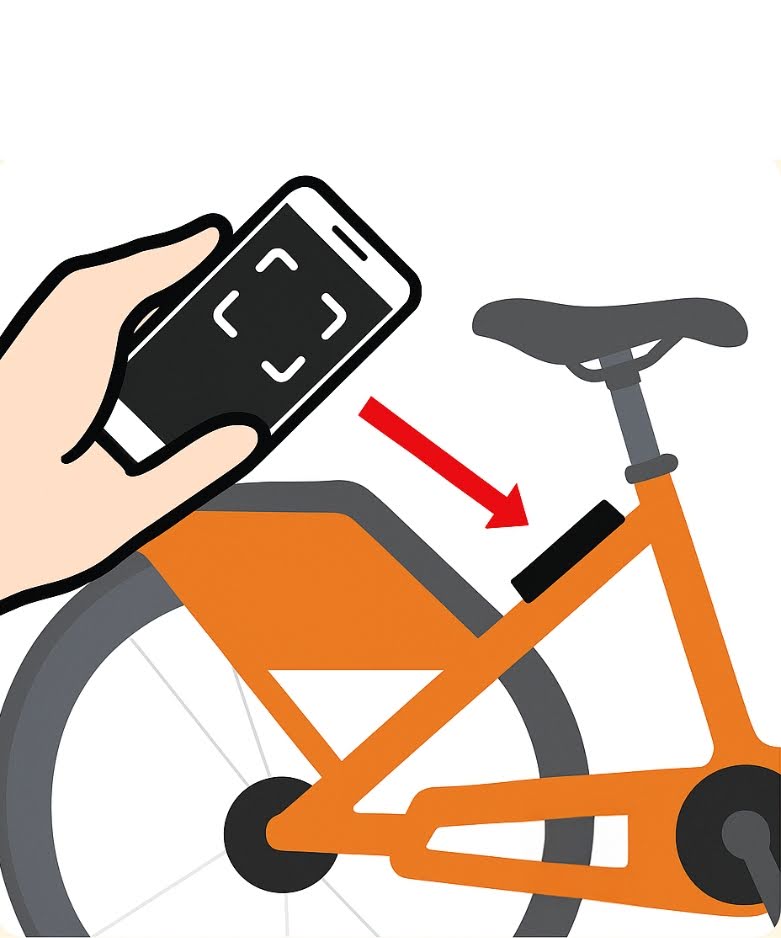
Tap "Scan to Ride" inside the app and point your phone's camera at the QR code sticker located on the bike's headtube or behind the seat.
Slide to Unlock & Go
Slide the unlock button in the app. You'll hear the bike beep and unlock. Disconnect the charging cord, raise the kickstand, and enjoy your ride!
Where to Find the Bike's QR Code
Every Boomerang electric bike has two easy-to-reach QR code stickers:
- 1. Front Headtube: Located right below the handlebars on the front frame tube.
- 2. Behind the Seat: Located on the frame tube directly beneath the rider's saddle.
If glare or lighting prevents your camera from scanning, look at the 4-to-6 digit Bike ID number printed right underneath the QR code and type it directly into the app!
Ride Safely & Return Responsibly
Always Return to Station
When you're finished riding, return your e-bike to its original starting docking station. Push the front wheel firmly into the dock to secure and recharge.
Pause During Your Trip
Making a stop at a store or cafe? Tap "Pause" in the app to temporarily lock your e-bike's wheel and activate the theft alarm without ending your rental.
Follow Safety Rules
Always obey the rules of the road, ride in designated bike lanes where available, yield to pedestrians, and always wear a helmet.